Supervisor Access Control

You decide who sees your records

FieldworkABA keeps supervisor details connected to your records while you stay in control of who can actually view your account.

Add a supervisor for recordkeeping, invite them when you’re ready, grant access for review and signature, and revoke it when the relationship changes.

See How It Works
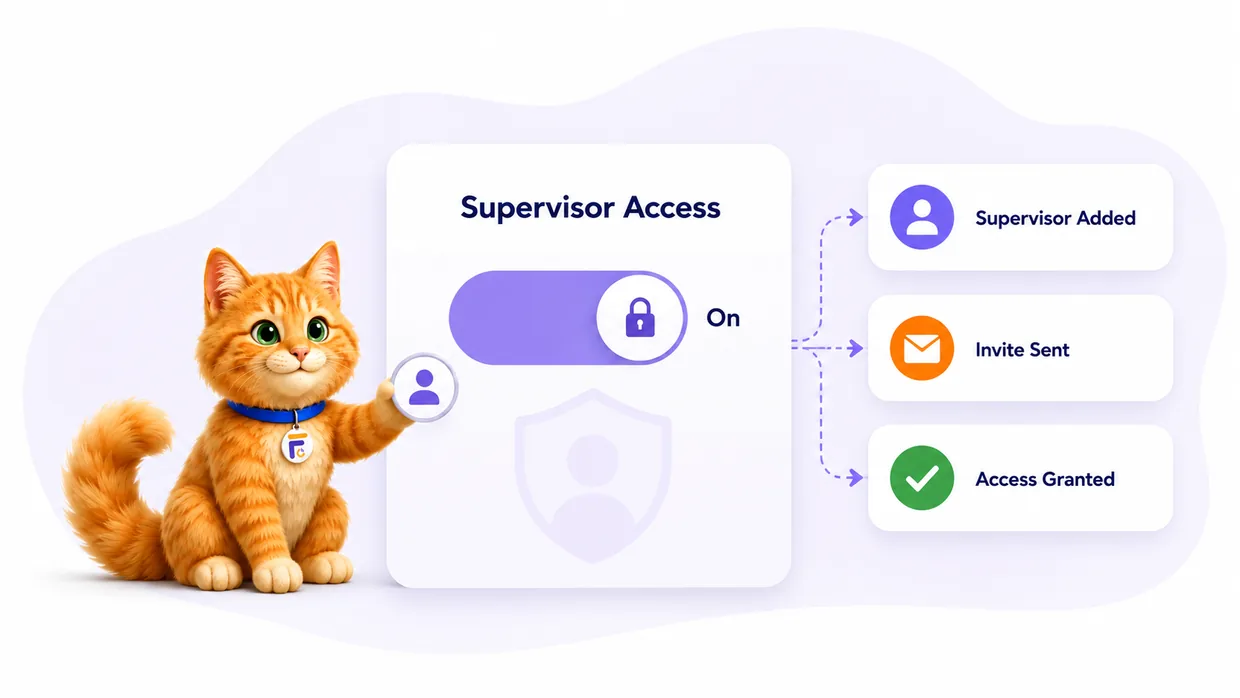
Trainee-controlled supervisor access in FieldworkABA — supervisor added, invite sent, and access granted
Add without opening access

Keep a supervisor’s details on your records without automatically handing over your account.

Invite when you’re ready

Send an invite only when a supervisor actually needs to review a month or sign a form.

Change access anytime

Grant, pause, or remove a supervisor’s access as your supervision relationship changes.

Everything access control handles

A supervisor on your record isn’t the same as a supervisor in your account. FieldworkABA keeps the two separate — so your history stays accurate and your access stays intentional.

You choose who connects, when, and for how long.

Supervisor records

Store supervisor names, emails, BACB® IDs, and relationship details for your fieldwork records.

Invite workflow

Invite a supervisor when they need to create an account, review records, or sign forms.

Access status

See at a glance whether a supervisor is added, invited, connected, or no longer reviewing.

Review permission

Grant access so a supervisor can review the monthly records tied to your supervision.

Signature access

Connected supervisors can countersign the forms they need to review and sign.

Access updates

Adjust or remove a supervisor’s access when your fieldwork relationship changes — history stays intact.

For trainees & supervisors

Access, on your terms

Trainees add supervisors and decide when to grant access; supervisors connect only to the trainees who invite them. Records stay accurate, and access stays intentional on both sides.

For Trainees

Keep your records private and organized

Add supervisors for accurate records
Choose exactly when to invite them
Control who can review your months
Update access when supervision changes
Keep past supervisor history organized

You get accurate records without giving up control. Store a supervisor’s details for documentation, then decide who can actually view, review, and sign inside your account.

For Supervisors

Connect only when access is granted

Create a free supervisor account
Connect with trainees who invite you
Review records once access is granted
Countersign forms tied to your supervision
Never see records outside your relationship

Supervisors only reach records tied to the trainee relationship. That keeps review focused, cleaner, and respectful of trainee privacy — and supervisor accounts are always free.

How it works

From supervisor record to granted access

Every step is your decision — add, invite, grant, and update — and your history stays organized the whole way.

1

Add the supervisor

Save the supervisor’s name, email, and BACB® ID for your fieldwork records.

Supervisor recordAdded
Name, email & BACB® ID
2

Decide when to invite

Keep the supervisor as a record, or send an invite when they need account access.

InvitationSent
Invite sent
Awaiting sign-upPending
3

Grant review access

Let the supervisor review the monthly records tied to your fieldwork relationship.

Access grantedConnected
Can reviewYes
Can signYes
4

Update access later

When the relationship changes, revoke or adjust access — the historical record stays.

Access updatedChanged
History preserved

Past months keep their supervisor details even after access ends.

You stay in control of who can review, sign, and access your fieldwork records.
Sharing logins & folders?

Recordkeeping shouldn’t mean
handing over everything.

To document a supervisor, you shouldn’t have to give them the keys to your whole account — or email files to whoever asks. FieldworkABA separates a supervisor record from supervisor access, so you decide who connects and when.

Shared logins & email
Adding a supervisor means opening everything
Old supervisors keep access long after they should
Multiple supervisors get tangled together
No clear status for who can see what
Revoking access means changing passwords
FieldworkABA logo
A supervisor record is separate from access
Access ends when you revoke it — instantly
Each supervisor stays tied to the right records
Clear status: added, invited, or connected
Update access in a click, no password games
Muffins the Cat with common supervisor access questions
Frequently Asked Questions

Questions, answered

Does adding a supervisor automatically give them access?
No. Adding a supervisor record is different from granting account access. You can store the details first and invite them only when needed.
Can I invite a supervisor later?
Yes. You can add supervisor information now and send an invite when the supervisor needs to review or sign.
Can I remove supervisor access?
Yes. Supervisor access can be updated or revoked whenever the supervision relationship changes — and the historical record stays organized.
Can I have more than one supervisor?
Yes. FieldworkABA supports multiple supervisor records so your monthly history can reflect your actual supervision relationships.
Can I add past supervisors?
Yes. You can add past supervisors for previous months and fieldwork history — without giving them access to your current account.
Does access control replace supervision agreements?
No. FieldworkABA helps manage platform access, but trainees and supervisors should follow their supervision contracts, BACB® guidance, and professional requirements.

Control who can review your fieldwork records

Add supervisors, invite them when ready, grant review access, and keep your fieldwork history organized as supervision relationships change.

See How It Works