Documenting Fieldwork

Fieldwork records built to pass audit

FieldworkABA turns daily fieldwork entries into organized monthly records for BCBA® trainees and supervisors.

Each month brings together logged hours, activity notes, supervisor details, review status, signatures, and stored forms, so your documentation is easier to understand when it is time to review or reference it later.

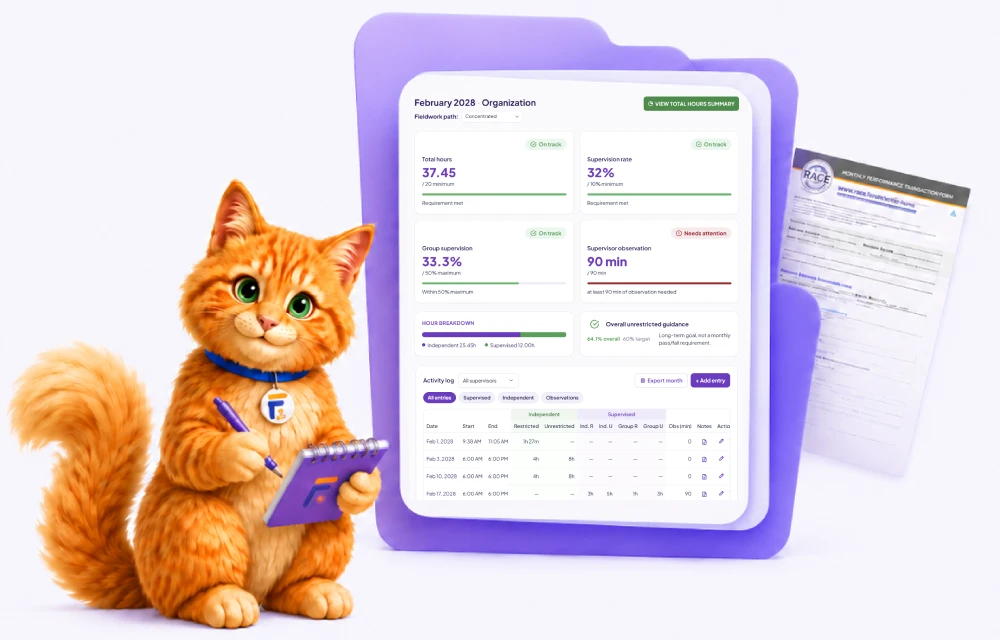
FieldworkABA monthly fieldwork record showing logged hours, supervisor review, e-signature, and secure storage
Hours Logged
Form Signed
Records Stored
Nothing slips through the month

Missing hours, notes, or signatures surface while you can still fix them — not when a reviewer finds the gap.

Less back-and-forth with supervisors

Hand over a complete month with the context attached, so approval takes one pass instead of a chain of emails.

Find any signed form in seconds

Every signed record and supporting document stays in one place you can open months or years later.

The fieldwork requirements we track for you

Fieldwork isn’t counted as one long total — it is verified one month at a time. Each supervisory period carries its own rules, and a month that quietly misses one can be questioned long after it is over.

FieldworkABA checks these as you log, so you can see where a month stands before it is signed — not after.

Minimum monthly hours

Each month has to reach a minimum number of fieldwork hours before the period counts toward your total.

Supervision percentage

Supervision has to cover a minimum share of your hours — 5% for supervised and 10% for concentrated fieldwork.

Supervisor observation

Each month needs observation of you working with a client — a minimum amount of observation time under the current standards.

Group supervision limit

Group supervision can make up no more than half of your total supervision — the rest has to be individual.

Restricted vs unrestricted

Your mix of restricted and unrestricted activities is tracked toward the unrestricted target — a long-term goal, not a monthly pass or fail.

Monthly verification form

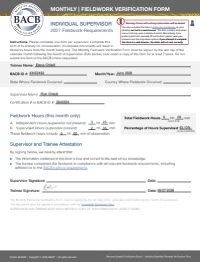
Every month is closed out with a Monthly Fieldwork Verification Form (MVF), signed by you and your supervisor.

For trainees & supervisors

One record, built for both roles

Trainees and supervisors work from the same monthly record — but each opens a view shaped around their job. Log and prepare the month on one side; review, request changes, and sign it on the other.

For Trainees

Send a month you can stand behind

See which requirements a month still needs
Fix gaps while the work is fresh, not months later
Hand your supervisor a complete month, not a question
Track supervision and observation as they add up
Know a month is audit-ready before you submit

Instead of reconstructing a month at signature time, you always know where it stands — and so does your supervisor. That means fewer surprises at review and a cleaner record when it is time to sign.

For Supervisors

Sign with the full picture in front of you

Open a month already checked against requirements
See the notes and context behind each entry
Request one change or approve, in one place
See which months are waiting for your review
Message the trainee right on the record

Everything you need to sign is attached to the month, so review is one focused pass instead of a thread of emails and missing files.

How it works

From daily entries to a completed monthly record

FieldworkABA keeps the monthly workflow clear from the first logged activity to the signed record.

1

Log your fieldwork

Add activities with the date, supervisor, organization, hour type, format, and notes.

New time entry+ Add entry
ACTIVITYTYPEHOURSDATE
Direct therapySupervised1.50May 6
Parent trainingIndependent2.00May 6
Skill acquisitionIndependent1.00May 6
Data collectionIndependent0.75May 6
ObservationSupervised1.00May 6
Total today6.25 hrs
2

Prepare the month

Review the month before sending it forward. Check that entries, notes, supervisors, and hour details are included.

BACB® compliance checkNeeds attention
Total hoursMin 20 / month17.50 / 20.00
Supervision rateRequired: 5%4%
ObservationRequired: 60 min45 / 60 min
Other requirements✓ On track
3

Supervisor review

Your supervisor can review the monthly record, provide feedback, and approve it when the details are ready.

Supervisor reviewIn review
Supervisor comment

Great work this month! Please add more detail to the parent training session.

May 7, 2025 · 10:24 AM
Requested change

Add session notes for May 2 parent training entry.

Request edits✓ Approve for signature
4

Sign and store

Once signed, the monthly record and supporting documentation stay available in your account.

May 2025 monthly recordSigned
Signed monthly verification form
Supervisor signature
Dr. Taylor Smith
June 3, 2025
Trainee signature
Jordan Lee
June 3, 2025
Secure archive · Retain for 7 years
Each monthly record moves through one clear path: log, review, sign, and store.
Switching from Ripley?

Ripley counts your hours.
FieldworkABA makes sure they count.

A free tracker is enough — until it isn’t. Ads in the way, storage locked behind a pricier plan, and hours in your total that a review won’t accept. FieldworkABA is built for the part that matters: every requirement checked, every qualifying month counted, and every signed form kept.

Ripley
The free plan is filled with ads
Long-term storage only on a higher-priced plan
Hours that missed a requirement can still sit in your total
Notes typed by hand, one entry at a time
Feedback moves off to email and text
FieldworkABA logo
No ads — ever
A 7-year archive for your signed records
Only months that meet every BACB® requirement count toward your total
Dictate activity notes by voice — text-to-voice built in
Message your supervisor in-app, attached to the month
Muffins the Cat with common fieldwork questions
Frequently Asked Questions

Questions, answered

What is a BCBA® monthly fieldwork record?
A BCBA® monthly fieldwork record is a summary of fieldwork activity for a specific month. It can include dates, time totals, supervisor information, organization details, activity notes, review status, and signatures.
What information should I include in a monthly fieldwork record?
A strong monthly record should include fieldwork entries, dates, time totals, supervisor details, organization information, activity descriptions, supervision format, hour categories, and signature status.
How do supervisors review and sign monthly records?
Supervisors can review the monthly record, check the supporting details, provide feedback, approve the record, and sign when it is ready.
Are signed monthly records stored in FieldworkABA?
Yes. Signed monthly records and supporting documentation can stay organized inside your FieldworkABA account for later access.
Can I edit a record after it is signed?
If a signed record needs to be corrected, the signature workflow may need to be reset so the updated version can be reviewed and signed again.
Can I add previous months?
Yes. FieldworkABA supports adding previous months so trainees who already started tracking elsewhere can organize older fieldwork history inside the platform.

Make each fieldwork month easier to manage

Log daily activities, prepare monthly records, review with your supervisor, sign forms, and keep your documentation accessible in FieldworkABA.