
Final Verification Forms

Final forms, built from the months you logged

FieldworkABA turns your logged months into the BACB Final Fieldwork Verification Form (F-FVF), the form that goes in with your certification application.

One form for each supervision experience, the totals and the percentage worked out for you, then signed by your responsible supervisor without printing anything.

The Final Verification Form in FieldworkABA: filled in from the months logged, the BACB form generated with the totals, sent to the supervisor and signed in the app
Built from your months

The form is assembled from the months you already logged, so the dates, the supervisors and the totals are in place without retyping a year of hours.

One form per experience

A second organization, a break in accrual, or a new supervisor under individual supervision each start a new experience. FieldworkABA splits them, makes each form, and lists the ones still to do.

Signed in the app

Send the form to your responsible supervisor and they sign it from their own account. The signed copy comes back to you to download and keep.

Everything the final form needs

The final form is a summary of months you already closed. FieldworkABA keeps the two connected, so the totals on the form are the totals in your record rather than a figure you added up twice.

You check it, correct anything that needs correcting, and send it on.

The right BACB template

Individual supervisor, or multiple supervisors at one organization, on the 2027 form that matches how you were supervised.

Totals already worked out

Supervised and concentrated hours in their own columns, in hours and minutes, with the supervision percentage calculated.

Supervisor details filled in

Names, certification numbers and the dates each supervisor covered, taken from the months they actually signed.

Every box editable

A break, a correction, or a month worked under a different arrangement can be fixed on the form before anything is generated.

Check the PDF first

Generate the PDF and read it. Generating does not save or send anything, so you can look before your supervisor does.

Kept with the months

The signed form is stored next to the signed monthly forms it was built from, ready for the seven years after certification that you have to keep them.

For trainees & supervisors

One form, one signature

The final form is not a countersignature exercise. You prepare it, your responsible supervisor signs it, and the BACB form has a signature line for the supervisor only.
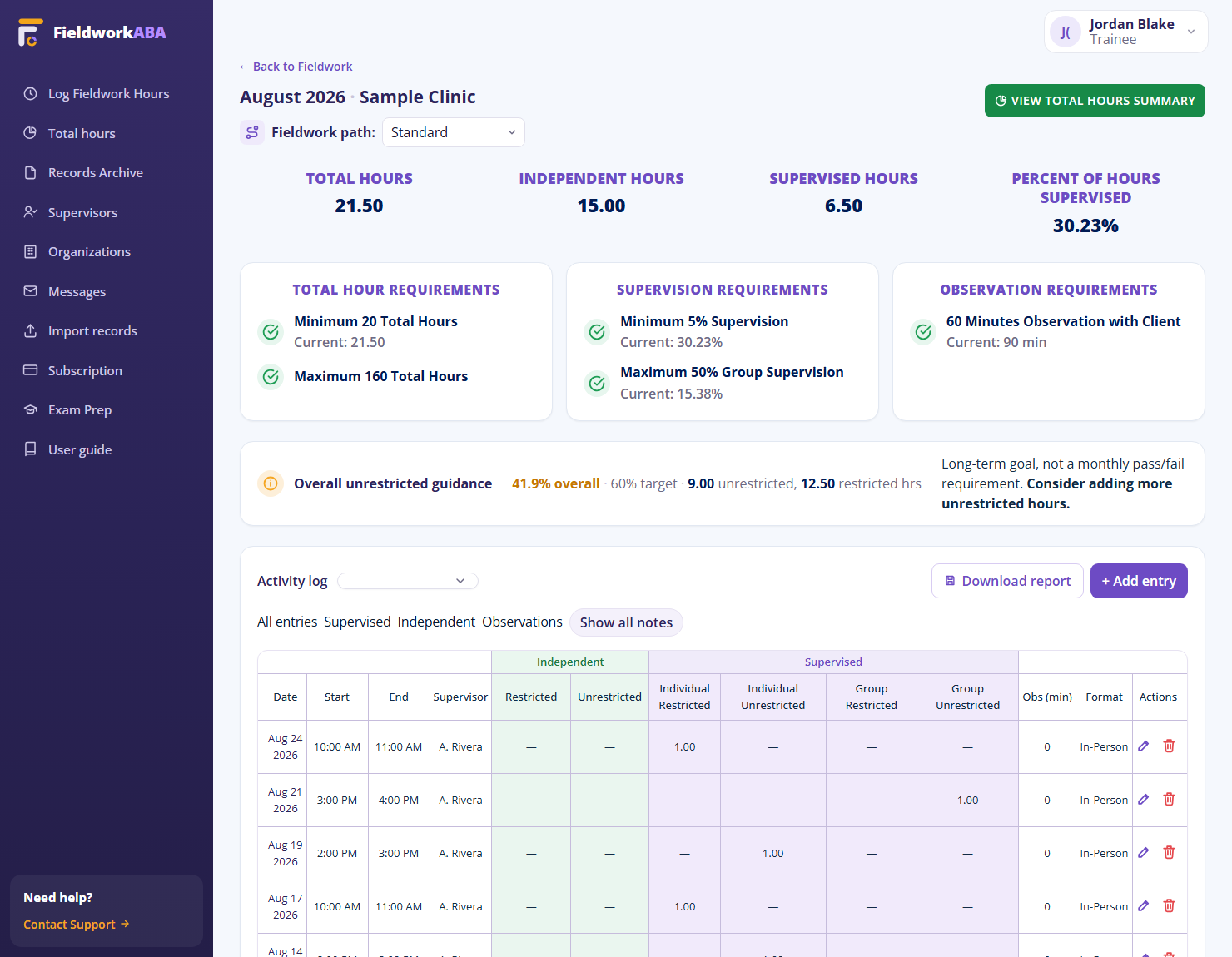
A monthly record in FieldworkABA with its logged hours and supervision details, the kind of month a final form is built from.
For Trainees

Finish an experience without rebuilding it

Start from the months you already logged
Get one form per experience, by supervisor or by organization
Correct any box before the PDF exists
Generate it and check it yourself first
Send it for signature and download the signed copy

A supervision experience can run for a year or more. Adding those months up by hand at the end, from forms kept in different places, is where the mistakes come from.

For Supervisors

Sign what you can actually check

See the forms waiting for your signature
Read what the form says before you sign it
Sign from your own account, no printing
Keep your name and certification number consistent
Leave the signed copy with the supervisee’s records

You are attesting to a whole experience, so the months behind the totals stay reachable from the form rather than living in an attachment somebody has to find.
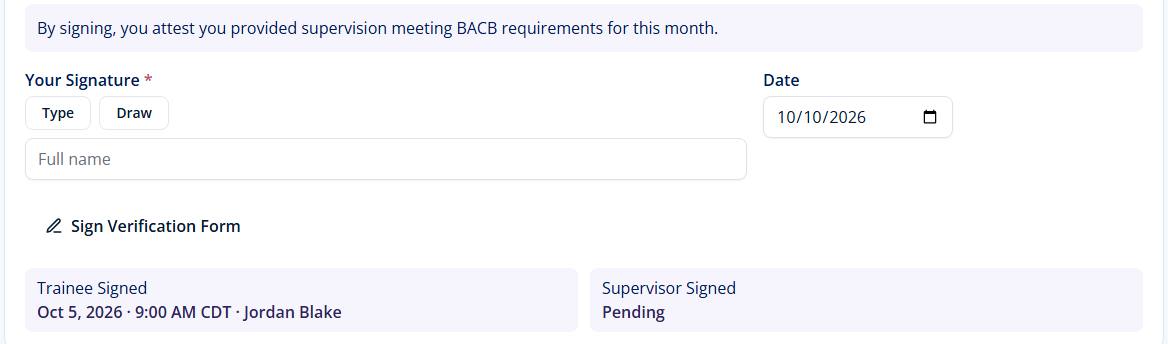
A supervisor signing a fieldwork verification form from their own FieldworkABA account.
How it works

From a year of months to a signed final form

Four steps, and nothing leaves your account until you say so.

1

Pick the experience

Each supervisor and each stretch with them is its own form, or each organization and each stretch there. The others stay listed so none is forgotten.

Your forms3 needed
Dr. Taylor SmithJan to Jun 2026Make
Owen WestJul to Sep 2026Make
Bright Steps ABAOct 2026 to Mar 2027Make
2

Check the boxes

Everything arrives filled from your months. Change anything that needs changing.

2027 Individual formPre-filled
FIELDFROM YOUR MONTHS
Supervised480.00
Concentrated120.00
Supervision7.5%
Total hours600.00
3

Generate the PDF

Read it before anyone else does. Generating the PDF saves nothing and sends nothing.

F-FVF previewReady
Boxes filledNothing left blank18 of 18
Open or download itPDF
4

Send it to be signed

Your responsible supervisor signs from their own account, and the signed copy comes back to you.

SignatureSigned
Responsible supervisor
Taylor Smith
Signed Jul 6, 2026
Stored with the months · Keep for 7 years
★One experience, one form, one signature, and the months behind it still there.
Adding up a year by hand

The last form shouldn’t be
the hardest one.

By the time you need a final form, the months it covers are a year old and the totals live in a dozen signed PDFs. Adding them up by hand is slow, and a figure that disagrees with the monthly forms behind it is exactly what an audit looks for.


Spreadsheet and a blank PDF
Totals re-added by hand from a year of forms
Easy to miss that a break started a second experience
Supervisor details retyped, certification numbers guessed
Print, sign, scan, then email the file around
The final form ends up somewhere the months are not
FieldworkABA logo
Totals come from the months you already logged
Each experience gets its own form, by supervisor or by organization
Supervisor names and numbers carried from their account
Signed in the app, no printer involved
Signed form stored beside the monthly forms it summarizes
Muffins the Cat with common final verification form questions
Frequently Asked Questions

Questions, answered

What is the Final Fieldwork Verification Form (F-FVF)?
The F-FVF is the BACB form that summarizes a whole supervision experience: the dates it covers, the supervisor or supervisors, and the total supervised and concentrated hours. It is submitted with the certification application, while the monthly forms are retained and produced if the fieldwork is audited.
How many final verification forms do I need?
As many as you had supervision experiences. Under individual supervision that is one form per supervisor, and another for each side of a break in accrual. Under multiple supervisors at one organization it is one form for that organization, with every supervisor listed on it. The full guide works through each case.
Does FieldworkABA fill in the final form for me?
Yes. It starts from the months you have already logged, on the 2027 BACB template that matches your structure, and fills in your details, your supervisors and their certification numbers, the dates, and the supervised and concentrated totals with the percentage worked out. Every box stays editable before you generate the PDF.
Who signs the final verification form?
The responsible supervisor. The BACB final form has a signature line for the supervisor only, so there is no supervisee signature to collect. You send the form to that supervisor and they sign it from their own account.
Which version of the form applies if I apply in 2027?
The 2027 one. BACB transition guidance says you submit the forms that correspond with the requirements in place at the time of your application, not the ones that were current while you accrued the hours. Hours accrued on 2022 forms still count if they meet the 2027 standard.
What happens to the signed form?
It comes back to you to download, and it stays in your account alongside the signed monthly forms the experience was built from, in a 7-year archive, so the whole experience is in one place for as long as you have to keep it.

Finish the experience, not just the month

Build each final form from the months you already logged, check it, and send it to your responsible supervisor to sign.