
Spend less time filling out your fieldwork log
FieldworkABA helps BCBA and BCaBA trainees log hours with less typing and fewer manual calculations.
Choose an activity description idea, reuse your previous wording, or speak your notes instead of typing. The session timer fills in your times, and saved entries update your monthly totals and requirement checks.

Let the app handle the calculations
Enter the window your supervisor was present for. The rest of the session stays independent, split for you.
Monthly totals and requirement checks update the moment you save an entry.
Start the session timer and the date, start time, and end time are filled in for you. You still press Save.
You don’t have to start every note from scratch
Find a starting point, bring back something you have already written, or just say it out loud.
Get help with
what to write.
Choose an idea that fits your activity, then replace the placeholders with your own details.
Reviewed data for [skill or behavior], updated [graphs or summary], and identified [patterns to discuss] for supervision.
Your past wording,
ready to use again.
Your most-used descriptions are close at hand. Select one and update the details for the activity you are logging.
Reviewed progress data and updated graphs for discussion in supervision.
Reviewed relevant research and summarized findings for a supervisor meeting.
Practiced staff training using modeling and performance feedback.
Speak your notes.
Review the text.
Dictate your activity description, then check the wording and make any changes before saving.
Reviewed the past week’s data, updated the progress graphs, and prepared questions for my supervisor.
Write the details
in your own words.
Type a description of what you worked on and add the context your supervisor needs for review.
Keep the details with every entry
A fieldwork hour is more than a start and end time. The details you attach to each entry are what make a month reviewable — and what a supervisor needs to sign it.
FieldworkABA keeps that context on every entry, from the moment you log it.
Log when the activity happened and let the entry carry that time straight into the monthly record.
Attach the correct supervisor to each activity, so records are easy to review and sign later.
Connect entries to the organization and setting where the fieldwork took place.
Split supervised and independent, restricted and unrestricted, individual and group — as the entry needs.
Keep observation-with-client time recorded on the entry and carried into the month.
Describe what happened in your own words — type it or dictate it with built-in voice-to-text.
Log your work. Give your supervisor the details.
Trainees log the hour with full context; supervisors review it with that same context already attached. The same entry does double duty — cleaner logging now, easier review later.
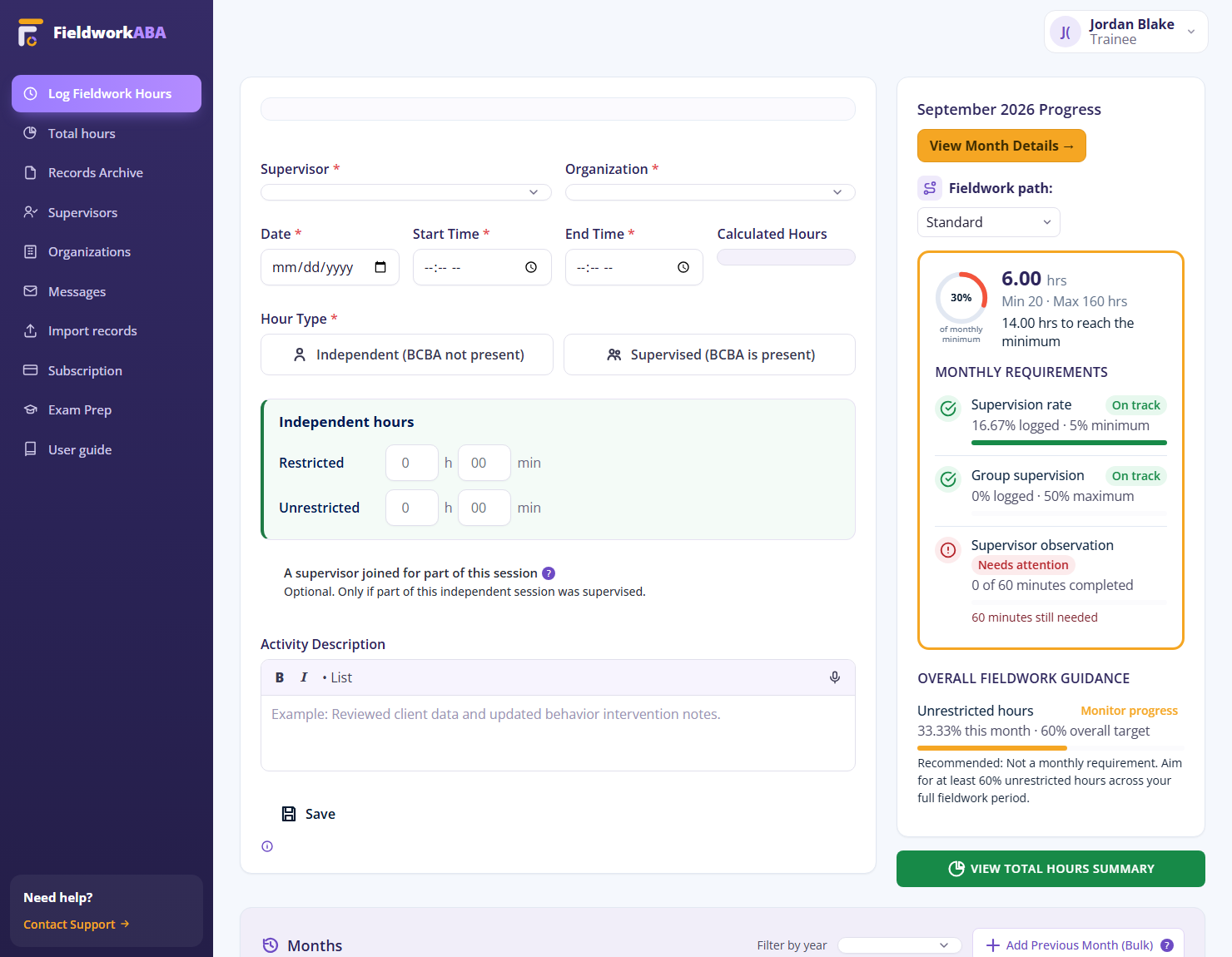
Log hours you won’t have to reconstruct
Instead of piecing a month together at the deadline, every entry you log is already complete — categorized, noted, and in the right month.
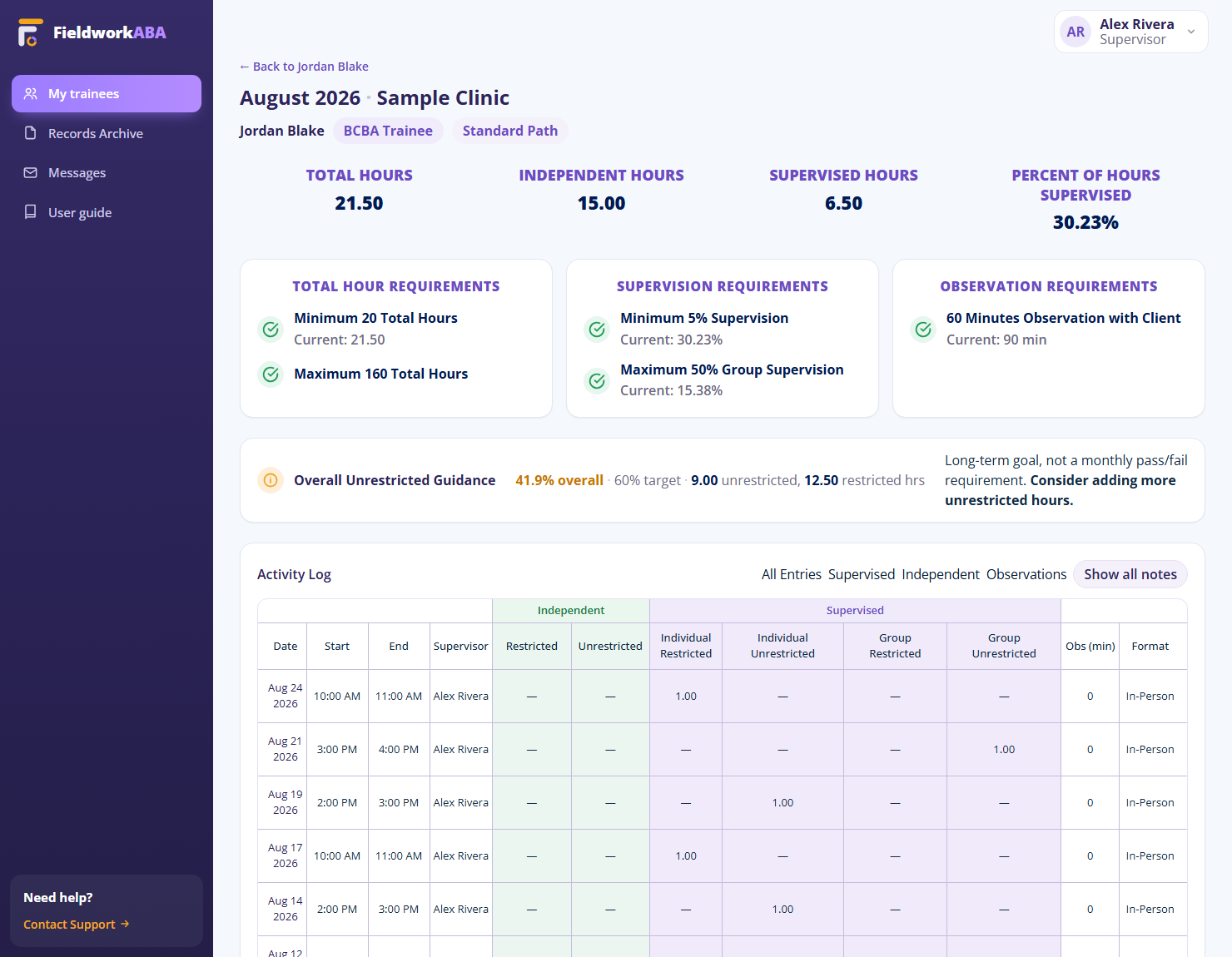
Review entries with the context already there
When entries are logged with detail, review is about the quality of the fieldwork — not chasing missing context after the fact.
From your activity to your monthly record
Every entry moves the same way, and the month keeps up as you go.
Log your time
Enter the date and times, or start the session timer and let it fill them in.
Add the details
Choose the supervisor, the organization, and the hour categories that apply.
Describe your work
Type it, dictate it, reuse an earlier note, or adapt a description idea.
Save to your month
Your entry updates the monthly record used for review and verification forms.
Everything you wish Ripley did,
built into FieldworkABA.
A free tracker captures a time in and a time out. FieldworkABA captures the entry that a month is actually built from — categorized, noted by voice, and dropped into the right month, with no ads and a signed record kept for years.

Questions about logging your hours
What should I include when logging BCBA fieldwork hours?
Can FieldworkABA track supervised and independent hours?
Can I track restricted, unrestricted, and group hours?
Can I add activity notes by voice?
Can I log observation time?
Do logged entries connect to monthly records and forms?
Make your next entry easier
Get help with your notes, keep your hours organized, and follow your monthly progress.
14-day trial · No credit card required